

Typesetting
Blog


Raphaël Freeman
6. Optical Sizes
Optical sizes are designs for different sizes of text. How caption cuts and optical sizing can keep footnotes clear and the page balanced.

Raphaël Freeman
5. Who or What is More Superior?
Purpose-drawn superiors, inferiors and fraction figures keep small numbers clear and give footnote references the right weight.

Raphaël Freeman
4. To Cap or Not to Cap?
True small caps are drawn to work with the surrounding text. How to use them consistently for abbreviations without the thinness of reduced capitals.
Raphaël Freeman
Marking the PDF after the pictures have been placed
However, if the quality of the image is not good enough for press, then the image will be imported as large as possible such that it will be

Raphaël Freeman
2. Ligatures
Why carefully drawn ligatures help letters sit together naturally, and when standard or discretionary combinations suit a book.

Raphaël Freeman
1. Text Figures (old-style numbers)
Choosing old-style or lining figures, and proportional or tabular spacing, to suit running text, capitals and numerical tables.

Raphaël Freeman
3. How to Kern Like a Pro
Good kerning starts in the font and is checked on the page. How I combine font editing, scripts and individual adjustments for consistent book typography.
Ḥanuka
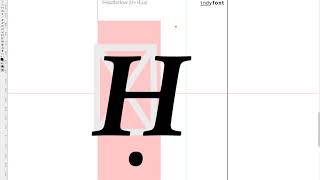
So there was a recent post on InDesign Secrets on how to find Ḥanuka in a document since it is spelt in so many different ways. One of the challenges of typesetting multilingual texts is that often special characters such as the Ḥ in the title above can be used. Not only is the ḥ common, but also ẓ, ṣ, ṭ, ḍ and even ḳ! The video below demonstrates how to create a custom ḥ in the correct font using the IndyFont Pro script. If you have a manuscript that has special typographic characters...

Raphaël Freeman
Balancing the book
When the manuscript is complete and there are no more corrections, the next stage is the final one of “balancing” the book. This is the process whereby the recto and verso (the right- and left-hand pages in a left-to-right book) of each spread are adjusted to be the same length. The exception is the last page of a chapter, and also when a new section head starts on the recto. This is accomplished by three methods: Shorten or lengthen the spread by up to a line (ensuring that there isn’t more...

Raphaël Freeman
Oops I made a mistake
History It’s worth taking a step back to see how the process worked not that long ago. You would have typed up your manuscript on a typewriter. The typesetter would then have rekeyed your entire manuscript using specialised hardware or a computer system, changing your typewriter quotes to typographer quotes (or curly quotes), fixing your double hyphens to the correct dashes and so forth. The typesetter would then have printed out the galleys. These were strips of bromide (they were very...

Raphaël Freeman
Widows and Orphans: Some of the Most Common Typesetting No-Nos
A widow is the last line of a paragraph at the top of a page. An orphan is the first line of a paragraph at bottom of a page.

Word vs InDesign for your Book: an Expert Analysis
The change of typeface has improved the situation overall, but it hasn’t addressed the biggest problem – spacing. In picture 3 we have taken

Raphaël Freeman
Page Margin Calculations
There are various systems in calculating the margins around the page. My favorite is the above. The top and inside ( i ) margin are 1/9 of t

Raphaël Freeman
What is the Half-Title Page?
In a previous article, The Anatomy of a Book, I discussed the various elements that exist in a book. Essentially the prelims, the body of the book and the end matter. The half-title page, also called a bastard title, normally gives the book’s title without the subtitle or author’s name. It usually comes near the beginning of the prelims, though praise pages may precede it. A second half-title can also appear before the main text. These are not competing definitions of “half-title” (Chicago...
Raphaël Freeman
Setting the page margins in InDesign
For quite some time, I would fiddle with the values until they were just so, but I decided that there must be a better way of doing this. I

Raphaël Freeman
The Typesetter’s Dream Setup
So how does one build the ideal typesetting setup? Ultimately it comes down to the display. Not the memory, nor the processor. I even put in

Raphaël Freeman
Boxes and Lines in Complex Layout
In the below video I demonstrate how to achieve this in InDesign as well as quickly showing another favorite typesetting trick of mine of ho

Raphaël Freeman
How to prepare your book for typesetting
Assigning styles aren’t necessary – it just can make the process for the author, editor and typesetter more efficent. However, as long as th

Raphaël Freeman
Typesetting Mistakes From the Inauguration Invitation – Lessons for Every Designer
This particular problem continues throughout the program. On page 6, however, things start to deteriorate. Although the designer used true s